The Seeki.eu app
Photograph your home. Sell it from your phone.
Walk through with your phone and snap a few rooms. Seeki.eu drafts the description, fills in the details, cleans up the photos and suggests a price. Publish to Seeki.eu, or take the finished listing to the portal your market uses.

Free to download on iPhone and Android. You only pay when you publish.
- 12 European markets
- 12 languages
- No agency needed
- Free to download
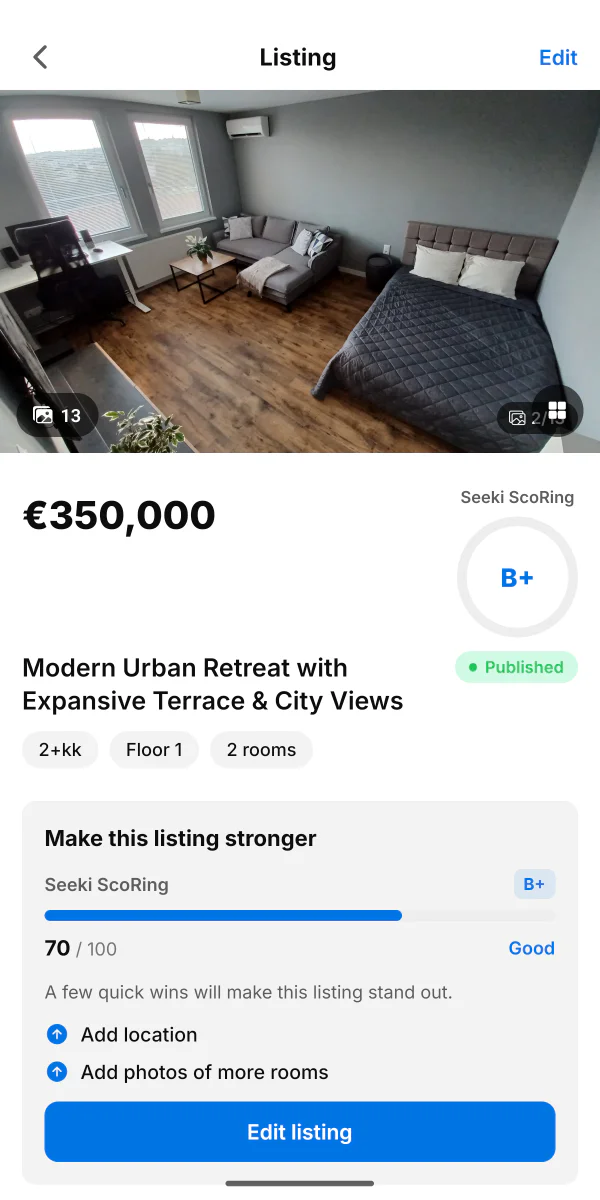
Supported portals
- Sreality.czČesko
- Nehnutelnosti.skSlovensko
- Willhaben.atÖsterreich
- Otodom.plPolska
- Immobiliare.itItalia
- ImmobilienScout24.deDeutschland
- Idealista.comEspaña
- Leboncoin.frFrance
- Idealista.ptPortugal
- Marktplaats.nlNederland
- Immoweb.beBelgië / Belgique
- Ingatlan.comMagyarország
- Any other portal
Your export is the complete listing, with every field and all your photos. It works with any portal, not only the ones listed here.
From walkthrough to live listing
Three steps, and you only do the first one by hand.
- Step 1
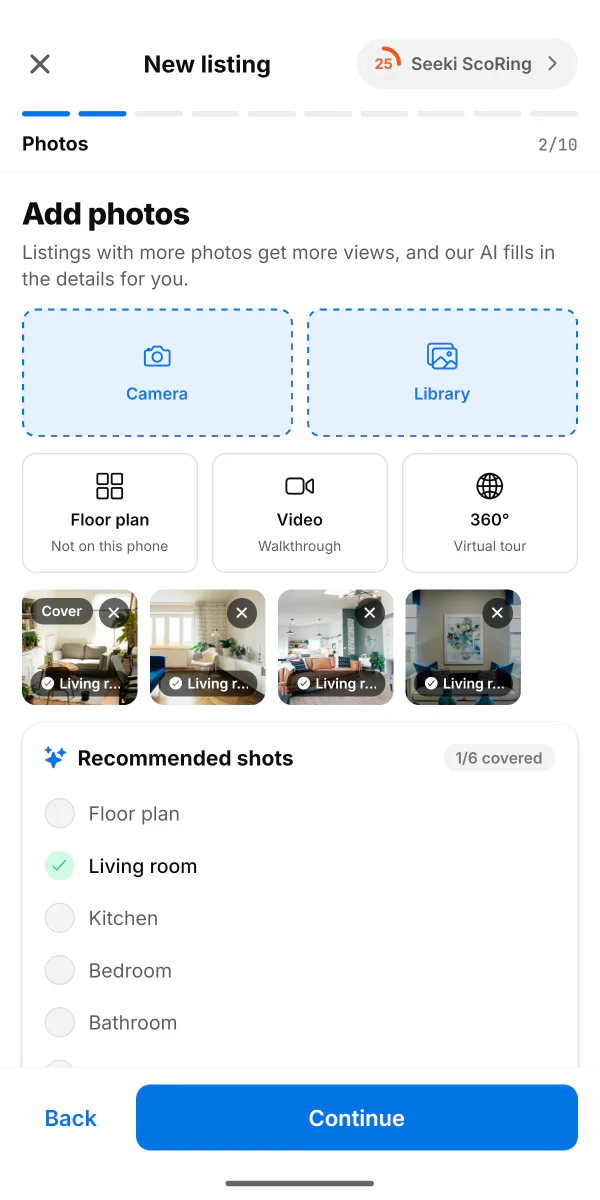
Capture
Open the app and photograph each room, up to 30 photos. Add a 360° sweep or a walkthrough video if you want to show more.
- Step 2
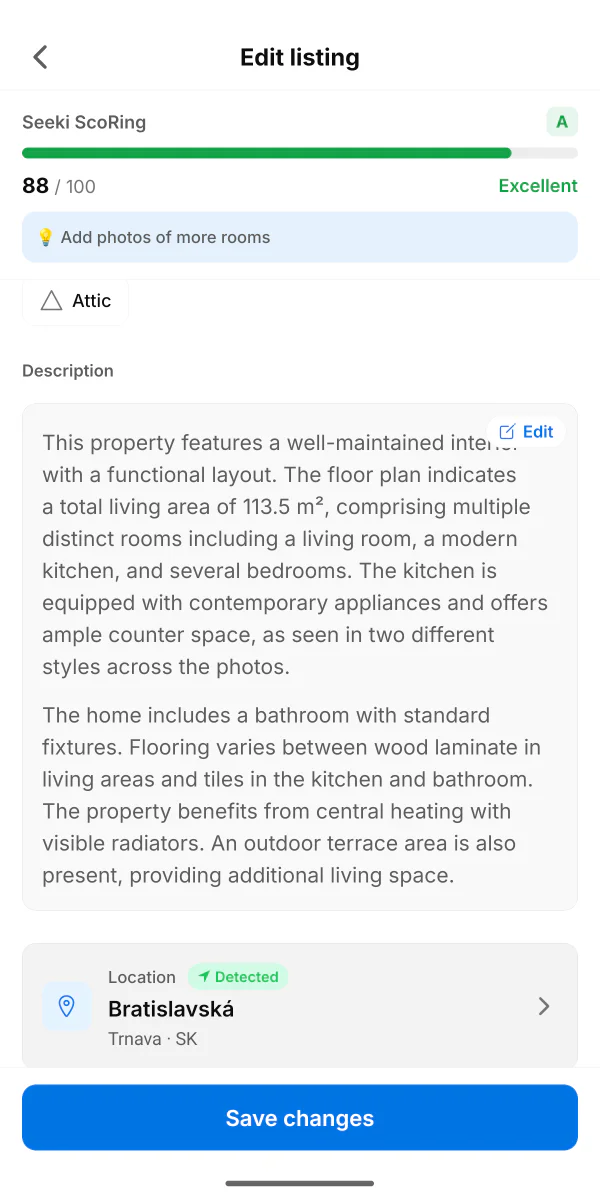
Review
Seeki.eu drafts the description and fills in floor area, rooms, layout and condition from your photos. Correct anything that isn't right.
- Step 3
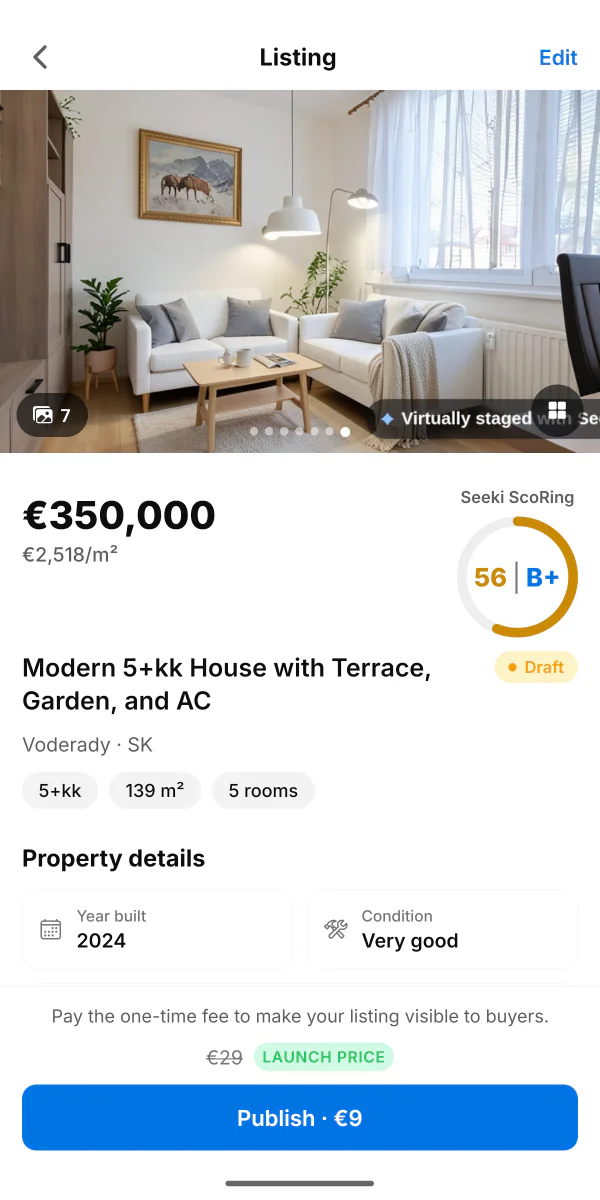
Publish
Publish to Seeki.eu for a one-time fee, or export the finished listing to another portal.
What the app does for you
The parts of a listing that normally cost you an afternoon.
From your photos
The listing writes itself
Seeki.eu reads your photos and drafts the description, then fills the structured fields: floor area, rooms, layout, condition and amenities. It all arrives filled in and editable, so you correct a draft instead of facing an empty form.
Every field the AI inferred is marked, so you always know what to double-check.
Optional
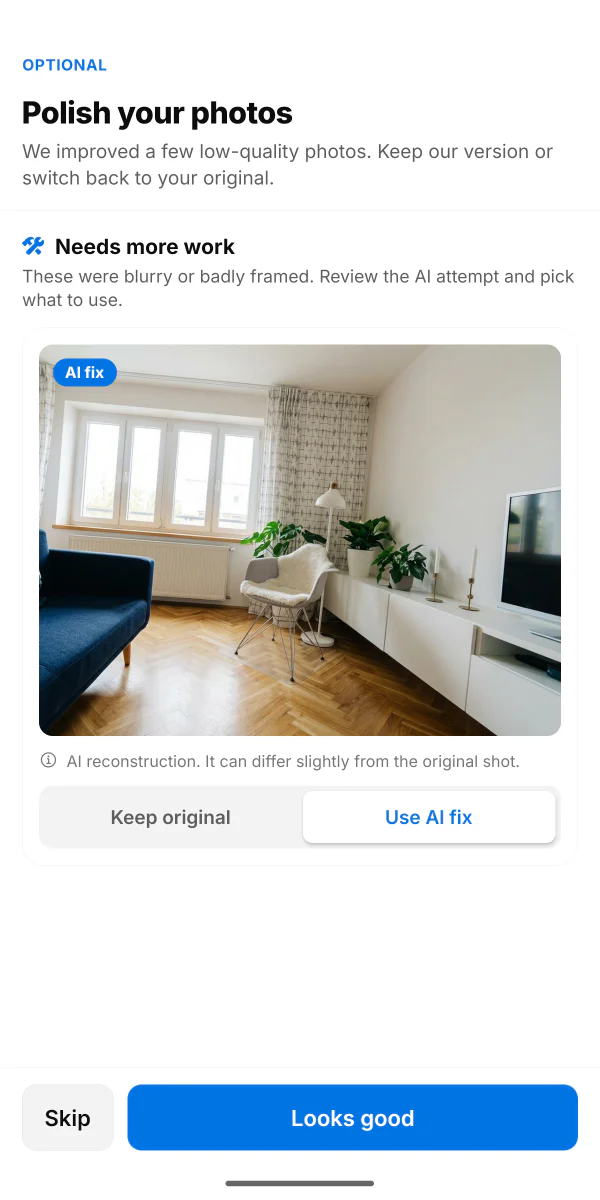
Photos worth clicking on
Dim or badly framed shots get flagged. Lighting is corrected automatically, and the worst photos get a full AI repair you can accept or reject. You compare against the original and keep whichever you prefer.
Heavier repairs are labelled as AI reconstructions, and your original photos are always kept.
Optional
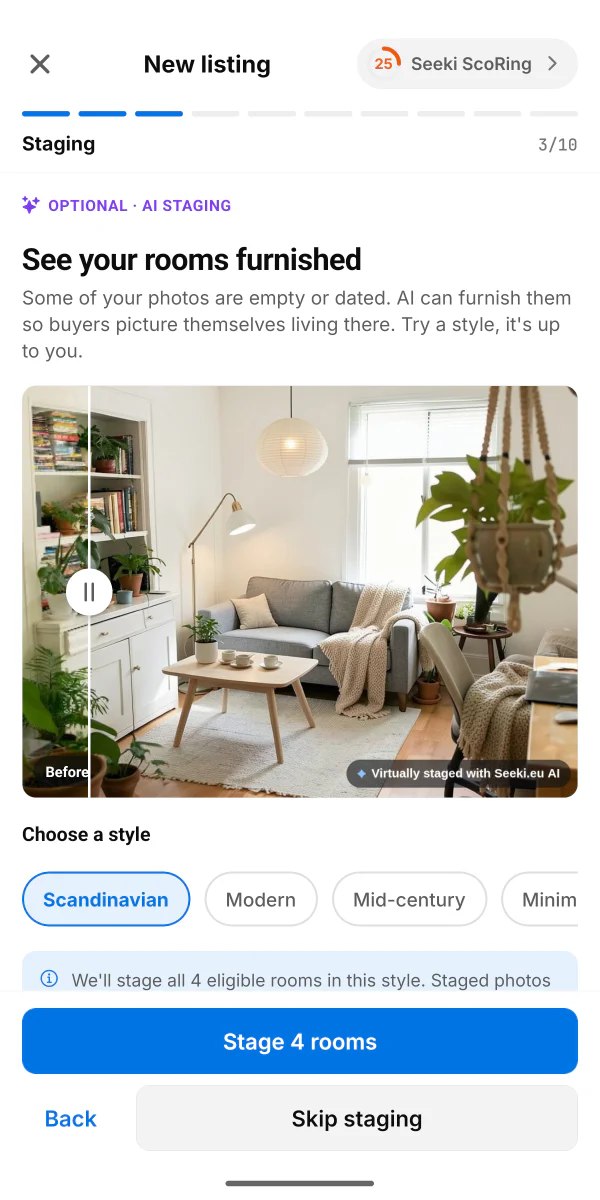
Empty rooms, furnished
Living rooms, bedrooms and dining rooms can be staged in seven styles: Scandinavian, Modern, Mid-century, Minimalist, Industrial, Classic and Boho. Useful for a new build, or a place you have already moved out of.
Staged shots sit next to your originals instead of replacing them, and each one is clearly marked as an AI visualisation rather than the property's actual condition.
Optional
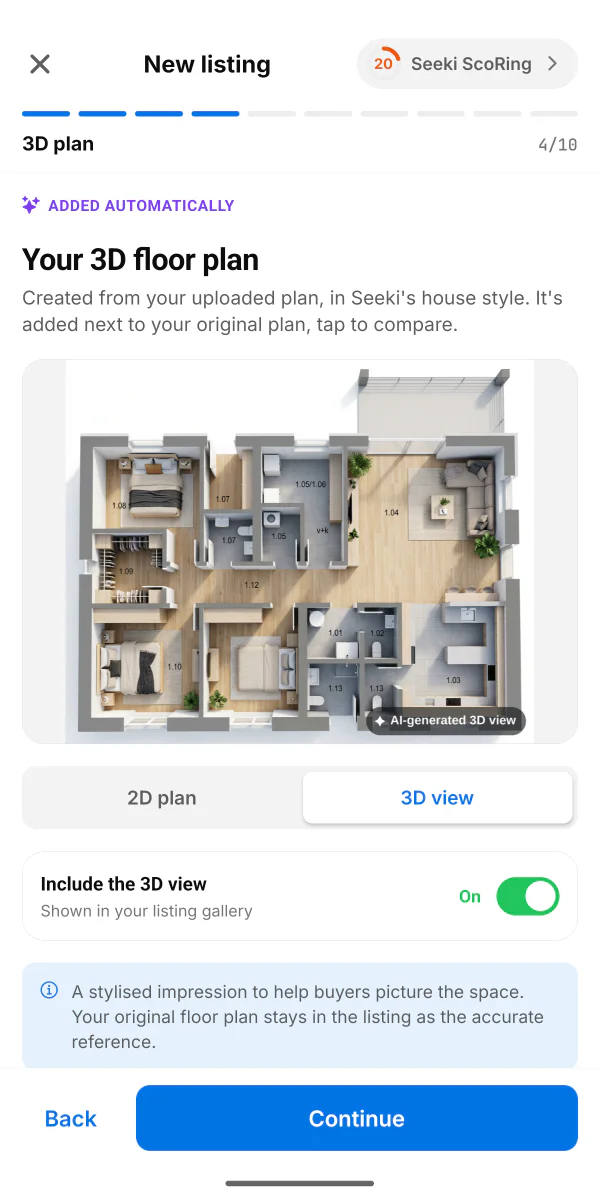
A floor plan buyers can read
Walk the room and tap each corner. The app measures the walls and draws a floor plan with the doors and windows marked. Already have a plan? Add it and the app turns it into a 3D view of the layout.
The 3D view is marked as AI-generated, and your original plan stays in the listing as the accurate reference. Room scanning needs Google's free AR component, which the app offers to install.
Before you publish
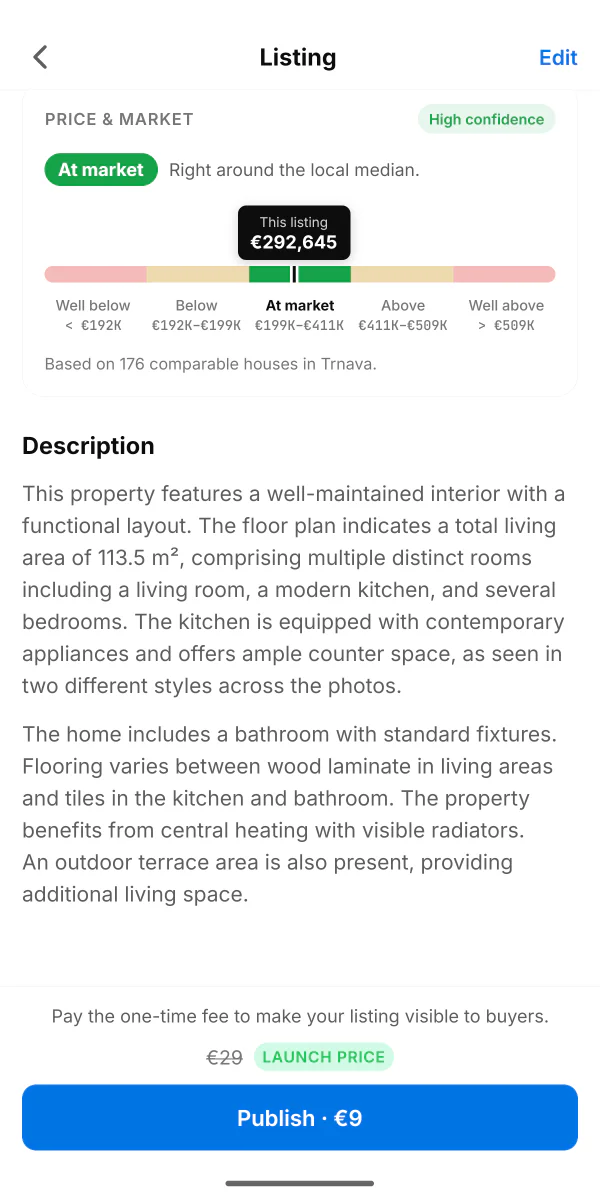
A price with the market behind it
Seeki.eu suggests a price anchored to the local median for comparable homes, with a range around it. As you type your own figure, a gauge shows where it lands: below the median, at market, or above it.
A starting estimate, not an appraisal. Built from comparable listings nearby, for homes with a location on the map. Where there aren't enough local comparables, the app says so instead of guessing.
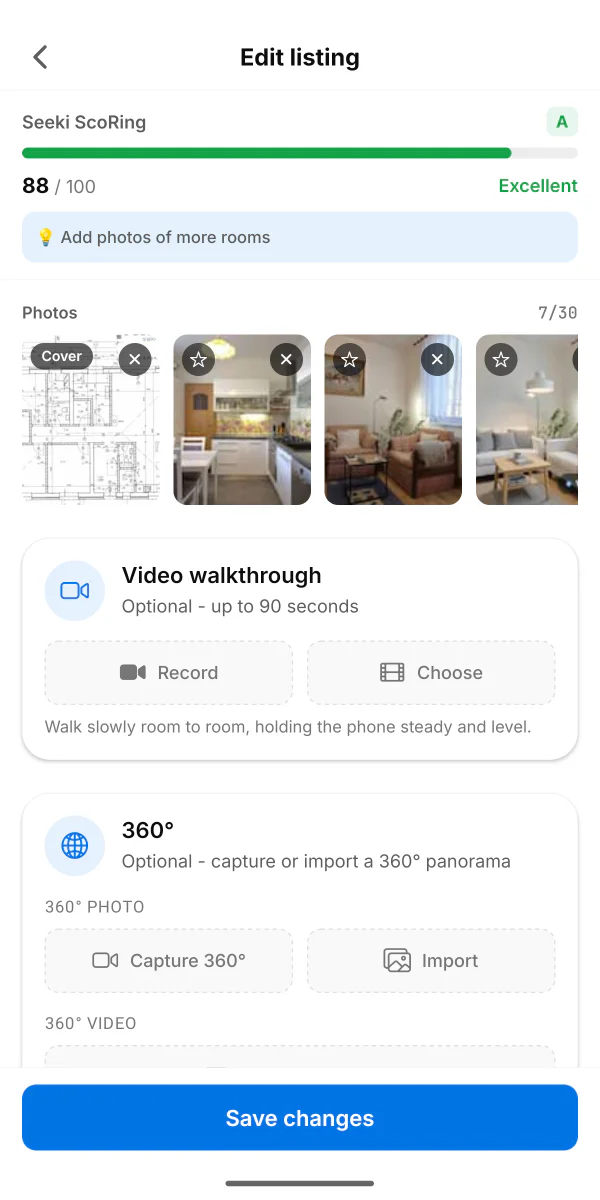
Optional
360° tours and video
Turn slowly on the spot and the app snaps and stitches a full 360° panorama, with no tripod and no second camera. Record a walkthrough of up to 90 seconds, or import a clip from a 360° camera.
One listing, every portal you care about
Build the listing once in the app, then take it to the national portal your buyers actually use.
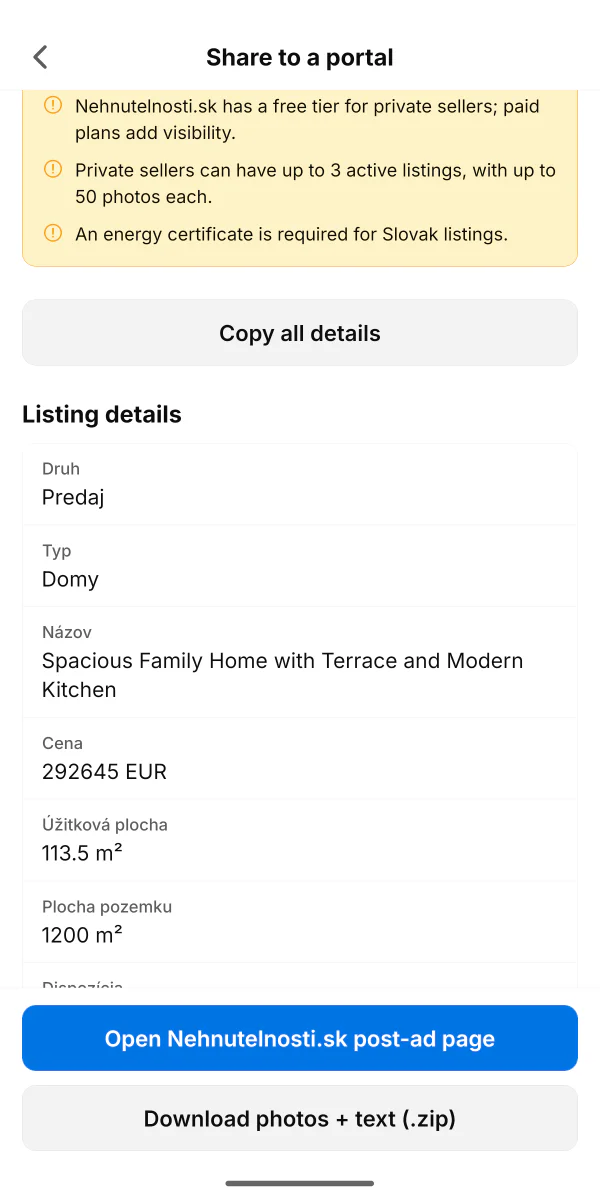
Pick a portal and Seeki.eu hands you a paste-ready copy of your listing mapped to that site's own field names, your photos at the size it accepts, and a link straight to its post-ad page. It also flags the things that get ads rejected, like the energy certificate your country requires.
You still complete and pay for the ad on the portal itself. No portal lets an outside tool publish on a private seller's behalf, so the app gets you as close as it honestly can.
What you don't have to do
Every line here is a job the app takes off you.
Stare at an empty description box
Seeki.eu drafts it from your photos. You edit rather than write.
Book a photographer
Your phone plus automatic clean-up gets you gallery-ready shots.
Furnish an empty flat
Stage the room in the app instead of arranging a delivery.
Measure the place by hand
Photograph the plan you already have, or scan the rooms.
Guess your asking price
Start from the local median and adjust from there.
Retype everything for every portal
Export a paste-ready copy per portal, mapped to its fields.
After it's live
The app keeps working once buyers start getting in touch.
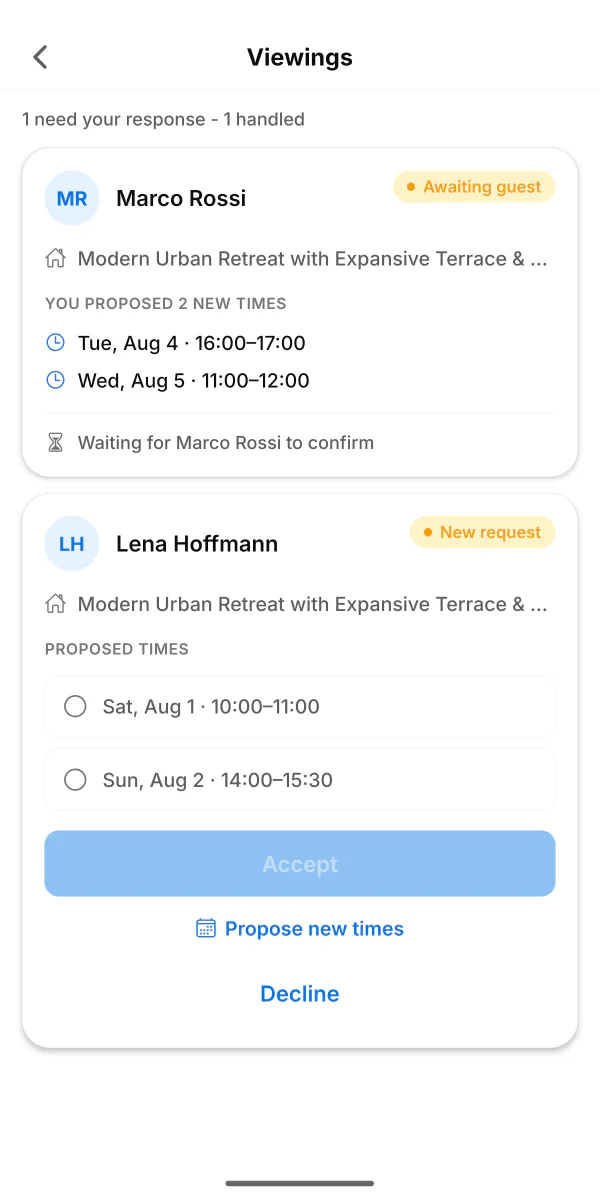
Viewing requests
Accept a time, propose another, or decline. Confirmed viewings go into your phone's calendar, so you don't double-book.
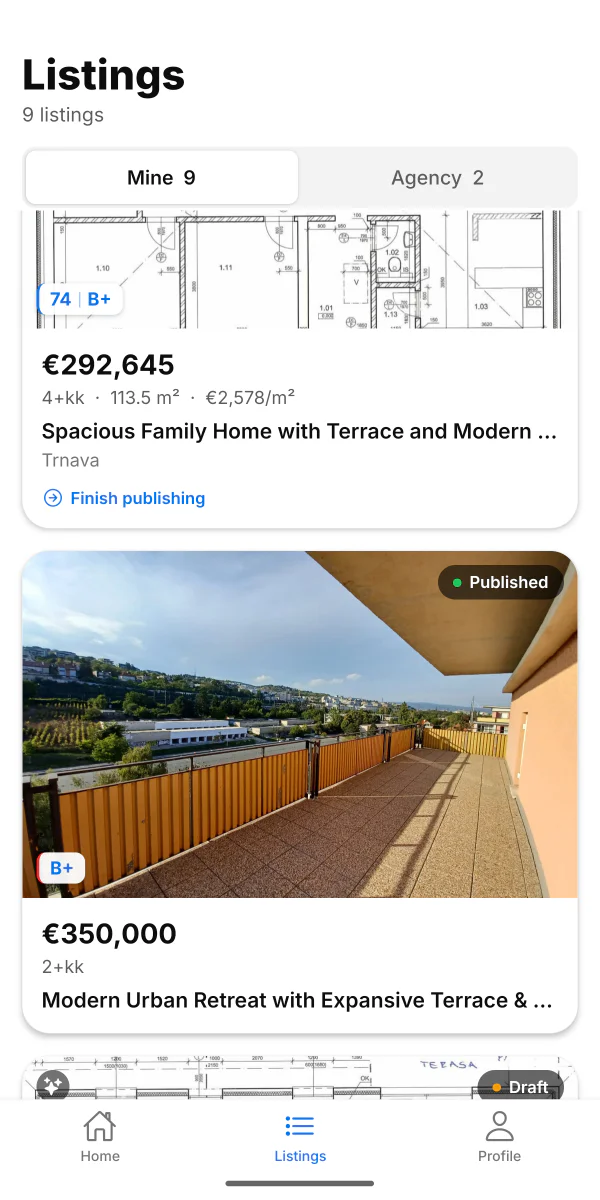
Every listing in one place
Drafts, published and paused, with photos and details editable any time.
What it costs
Free to download, free to draft
Capture, AI description, photo clean-up, staging, floor plan and price suggestions are all included. Nothing is charged while you build a listing.
One-time fee to publish
Publishing a listing on Seeki.eu costs €9, once, with no subscription. Where a portal charges for its own ads, you pay that portal directly.
A limited-time starting price.
Running a small agency?
The app works the same way for a team, with every member's listings visible across the agency. If you would rather import from your CRM and skip per-listing fees, that's what the agency plan is for.
See the agency planPrefer a keyboard?
You can build and publish the same listing from any browser, no app required.
List your property on the webFrequently asked questions
What does the Seeki.eu app do?
Is the Seeki.eu app free?
Is the Seeki.eu app available on iPhone?
Does the AI-written description need editing?
How does virtual staging work, and is it honest?
Can the app really make a floor plan?
How does the suggested price work?
Which portals can I export my listing to?
Do listings created in the app appear on the seeki.eu website?
Do I need an account to use the app?
Photograph your home today, publish it today
Download the Seeki.eu app and have your first listing ready before the day is out.
Stuck, or something not working the way it should? We're a small team and we answer fast. Email support